 Keet Support
Mute a Chat 🔇
Mute a specific chat for 30 minutes, 1 hour, 2 hours, 12 hours, 1 day, or forever, to pause just that chat's notifications without affecting the rest of Keet.
How do I mute a specific chat?
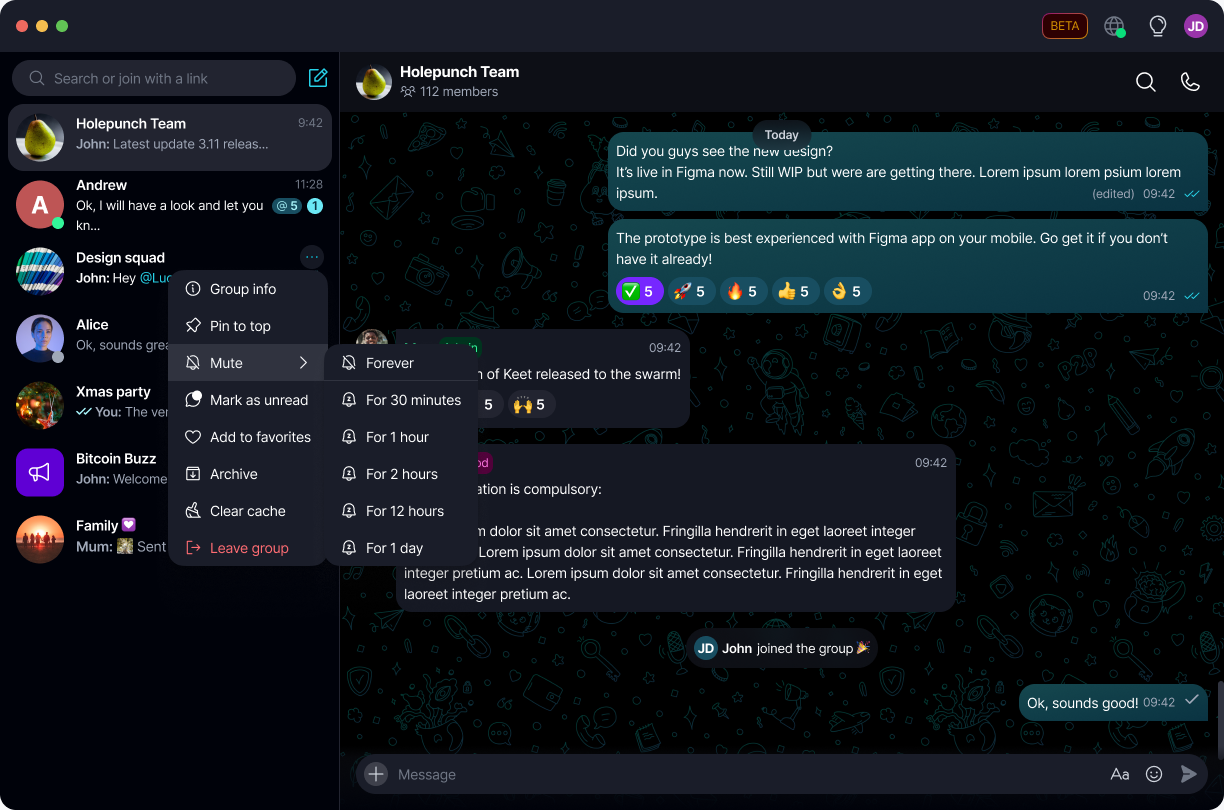
Select '...' next to a chat, then 'Mute', and choose how long to mute it for:
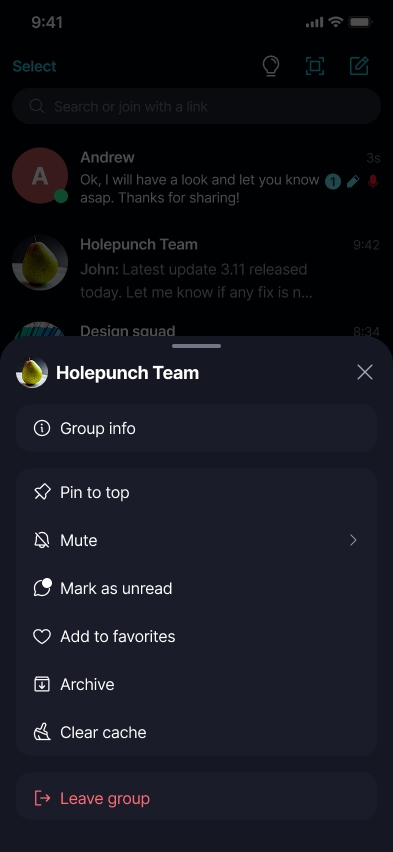
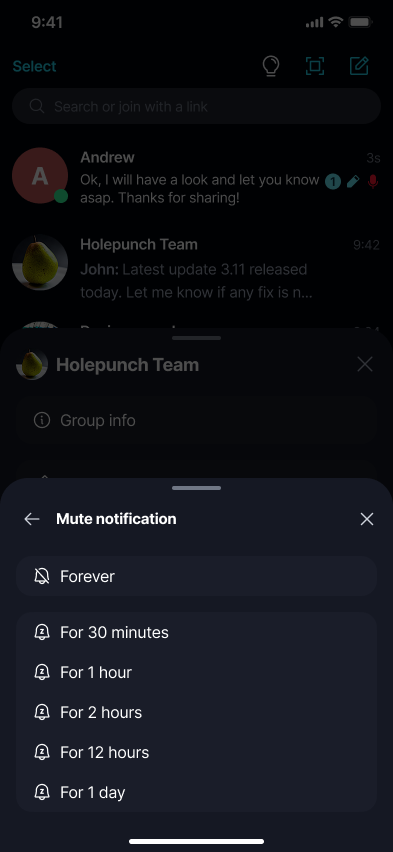
Long-press a chat, then tap 'Mute', and choose how long to mute it for:
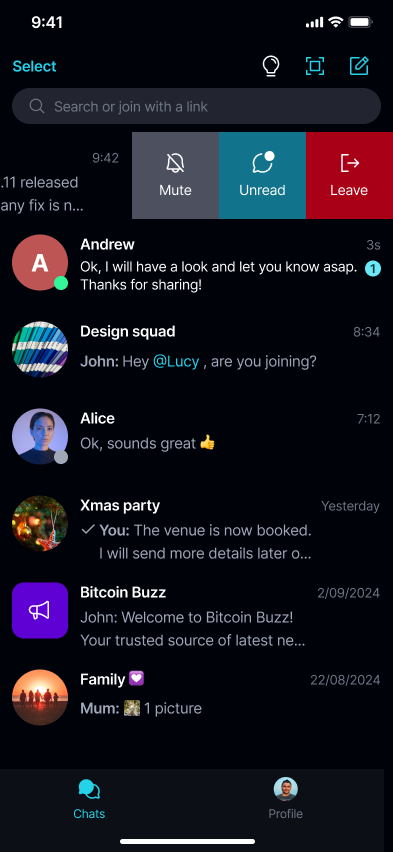
You can also swipe left on a chat for a quicker 'Mute' shortcut, or mute it from that chat's 'Group info' / 'Notifications' toggle:
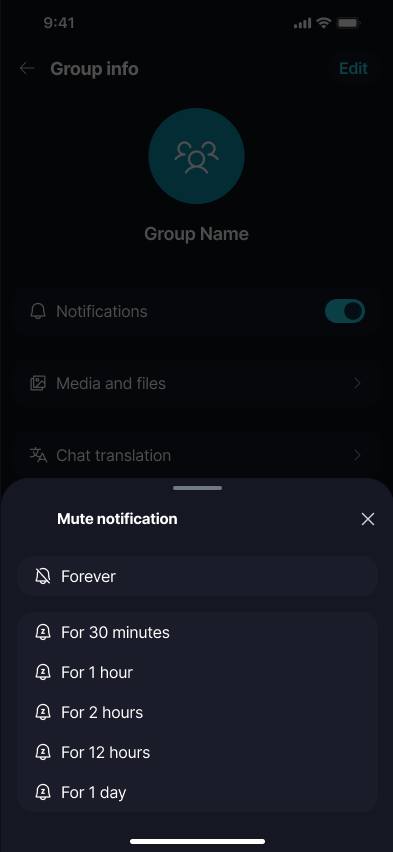
Choose Forever, 30 minutes, 1 hour, 2 hours, 12 hours, or 1 day. A muted chat shows a small muted icon next to it in your chat list:
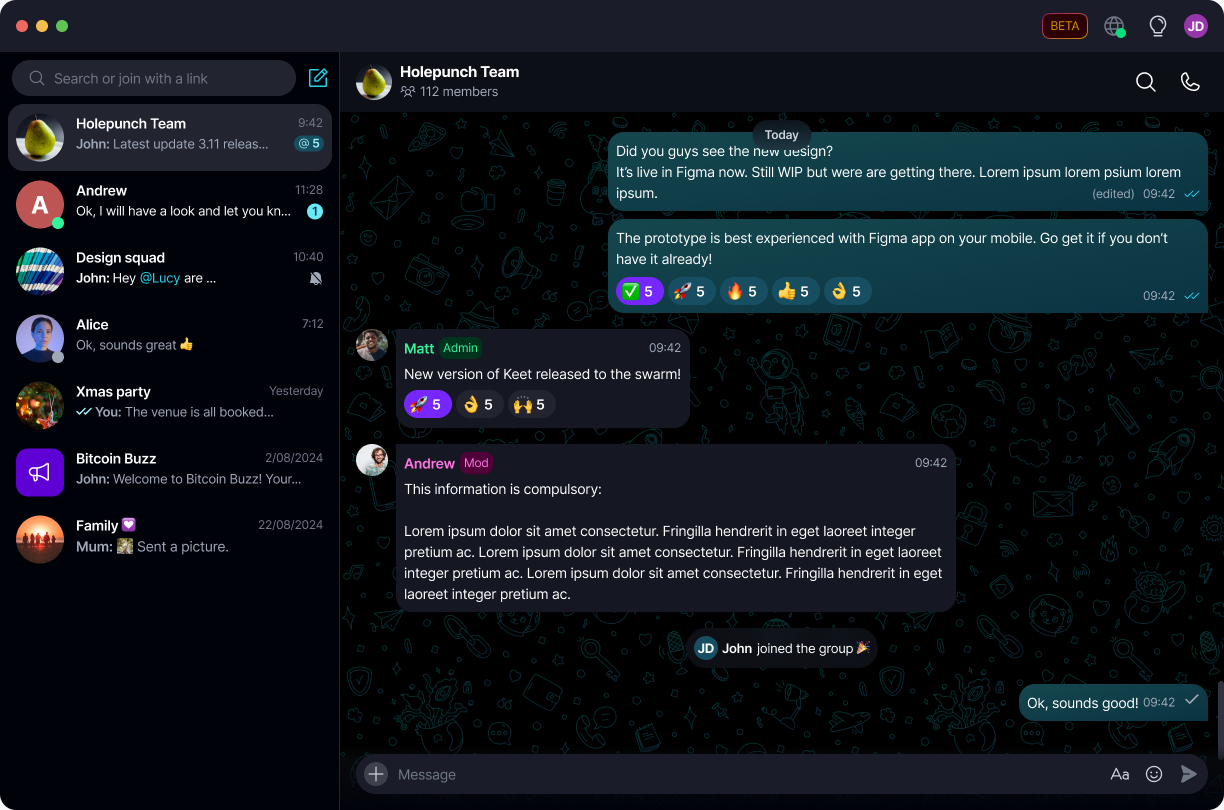
What happens while a chat is muted?
While a timed or forever mute is active on a chat, Keet pauses push and in-app/toast notifications for that chat only.
🔇 Muting a chat only pauses its alerts - messages still arrive and sync normally, so you'll see everything as usual once you open it.
A timed mute ends on its own once the selected period is up - you don't need to do anything. You can also stop it early at any time.
Your device's own notification settings take priority over this setting. If notifications for Keet are disabled at the OS level, muting or unmuting a chat in-app won't change that.
How do I unmute a chat, or stop a mute early?
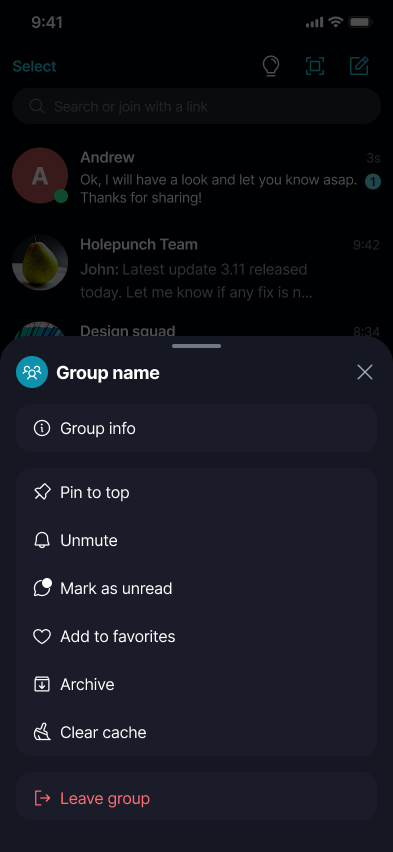
Use the same 'Mute' entry point - swipe, long-press, or the '...' menu - and select 'Unmute':
Does muting a chat sync across my linked devices?
Yes. Since it's saved to your profile, muting or unmuting a chat propagates to any linked device using the same profile. If a linked device is running an older version that doesn't support timed mute yet, it falls back to muting that chat indefinitely instead.
Looking to pause notifications for every chat at once instead of just one? See Snooze Notifications.