 Keet Support
Chat over Bluetooth 📡
Turn on 'Enable Bluetooth discovery' in Settings / Networking to find people physically nearby and message or add them over Bluetooth, even with no internet access.
How do I turn on Bluetooth discovery?
-
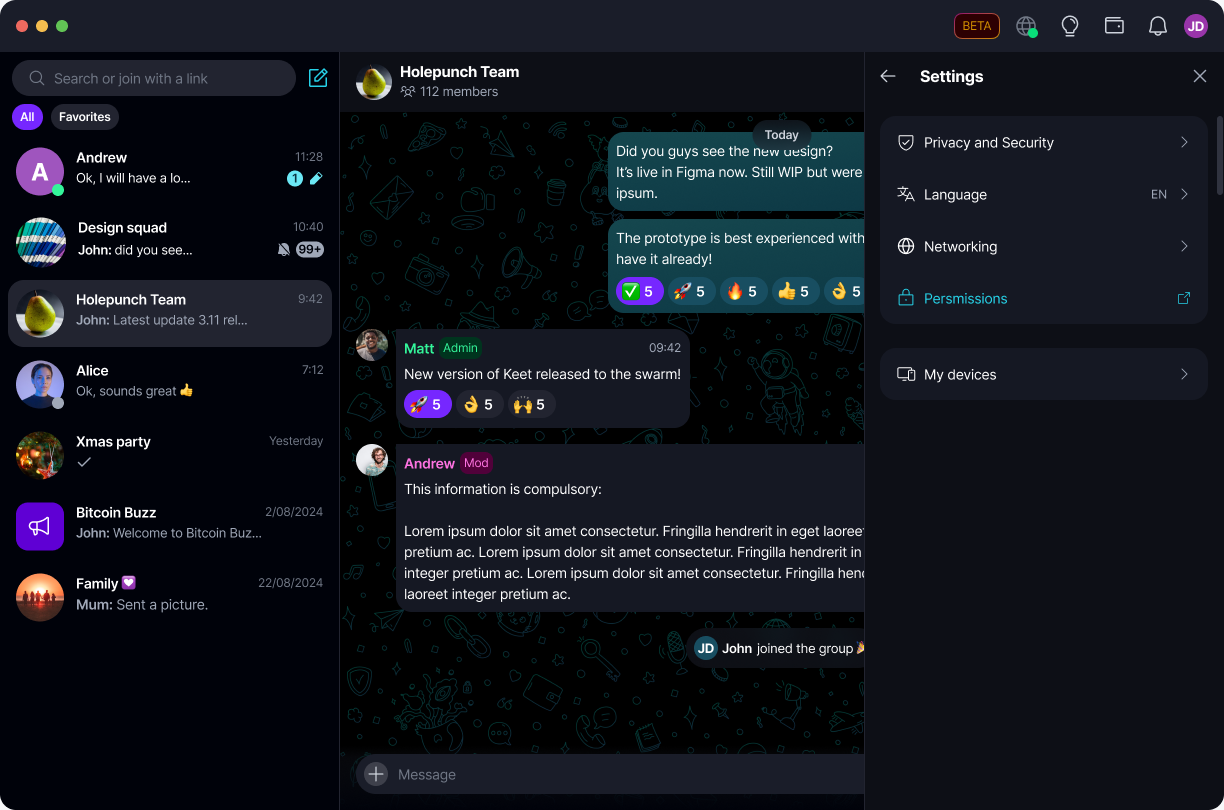
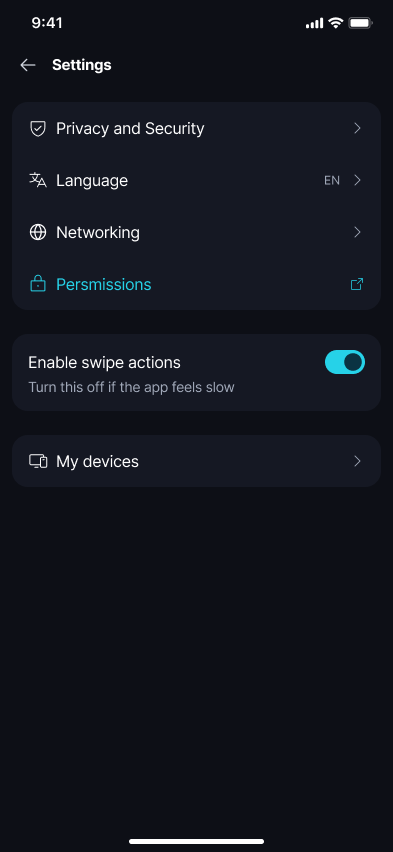
Go to 'Settings' and select 'Networking':
-
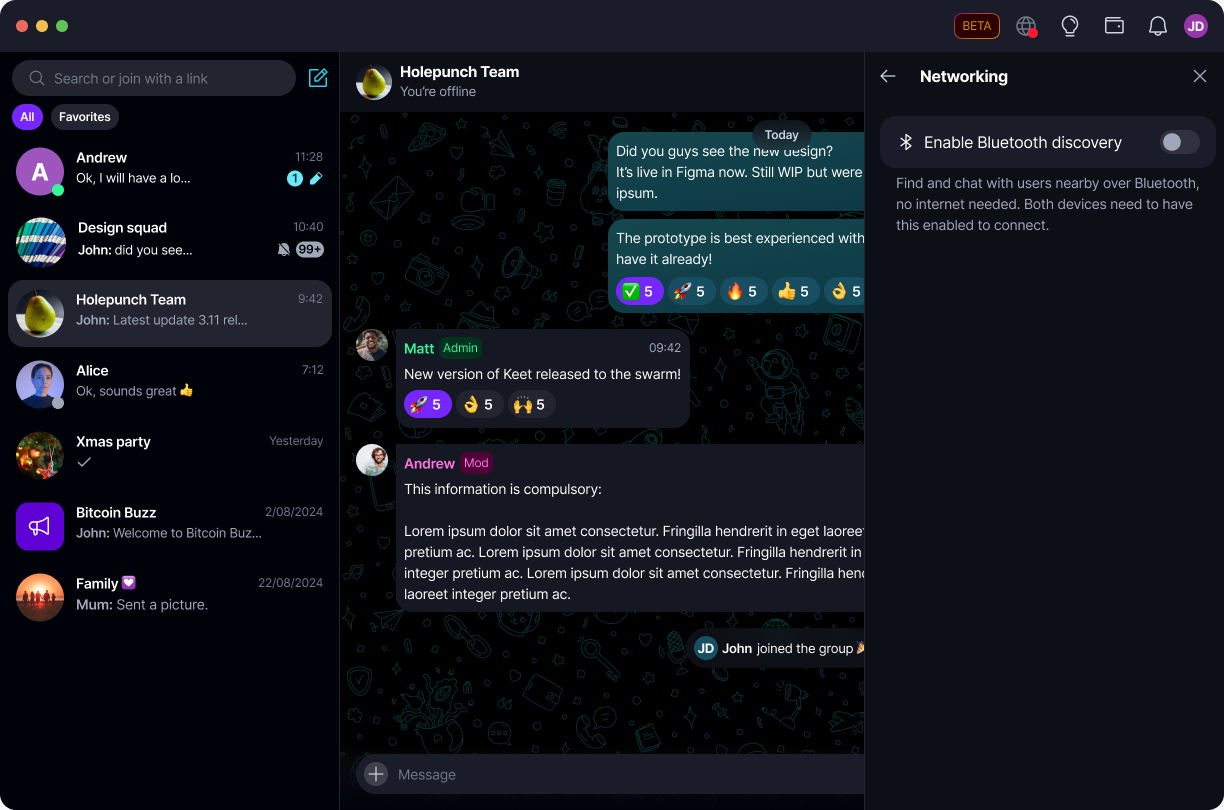
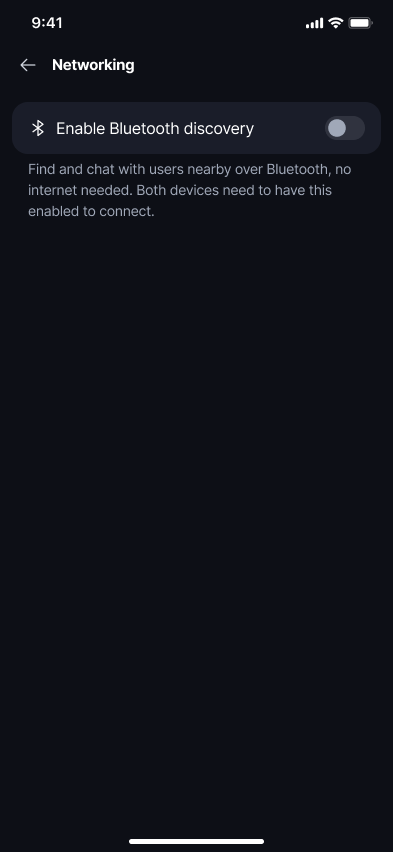
Toggle on 'Enable Bluetooth discovery':
-
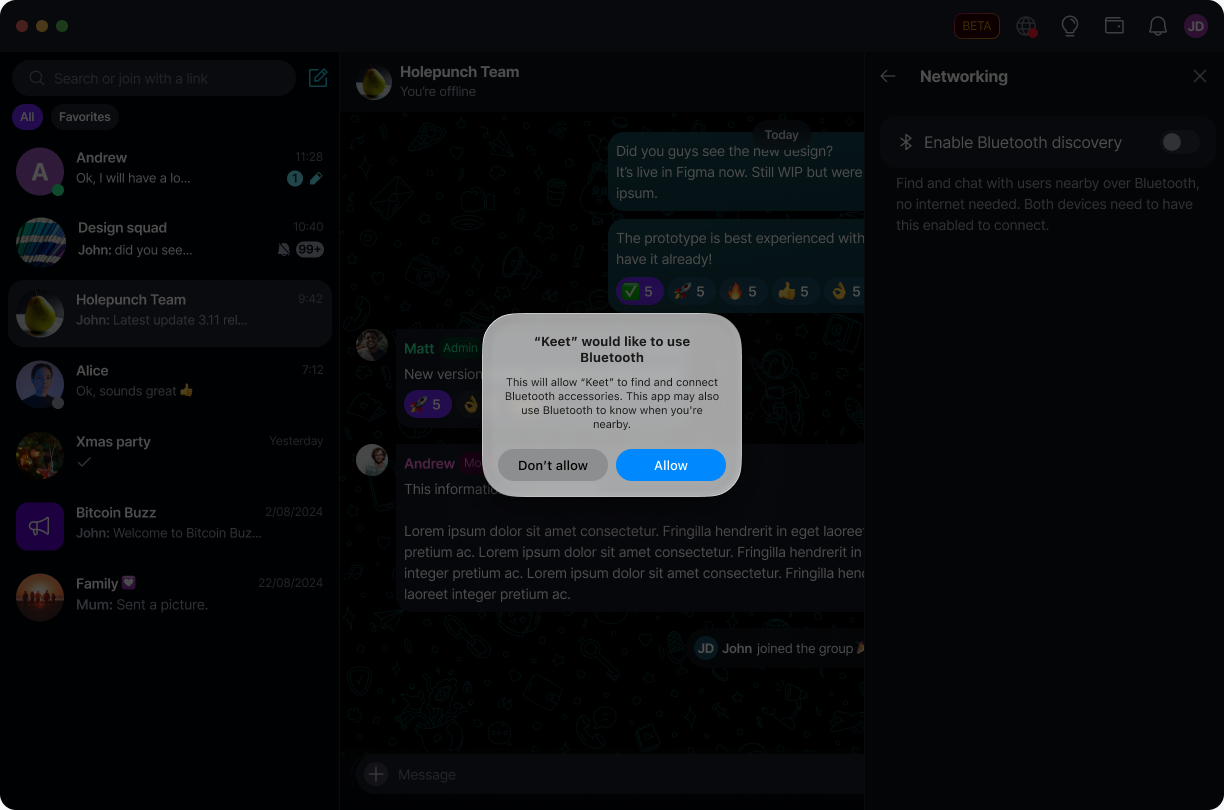
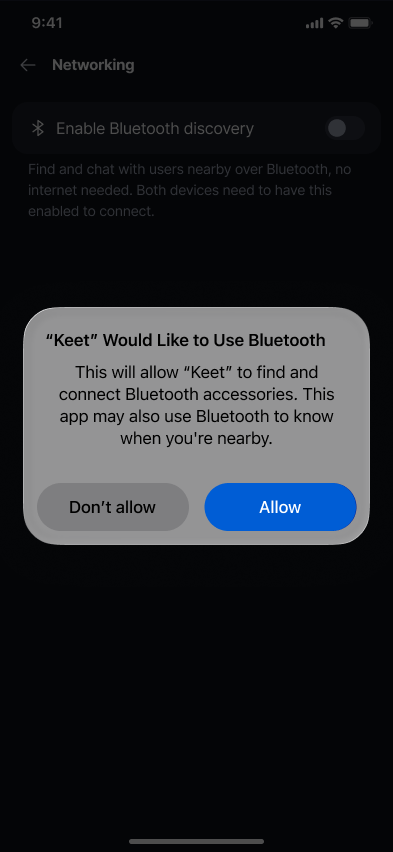
The first time you enable it, your device asks for permission to use Bluetooth. Allow it to continue:
-
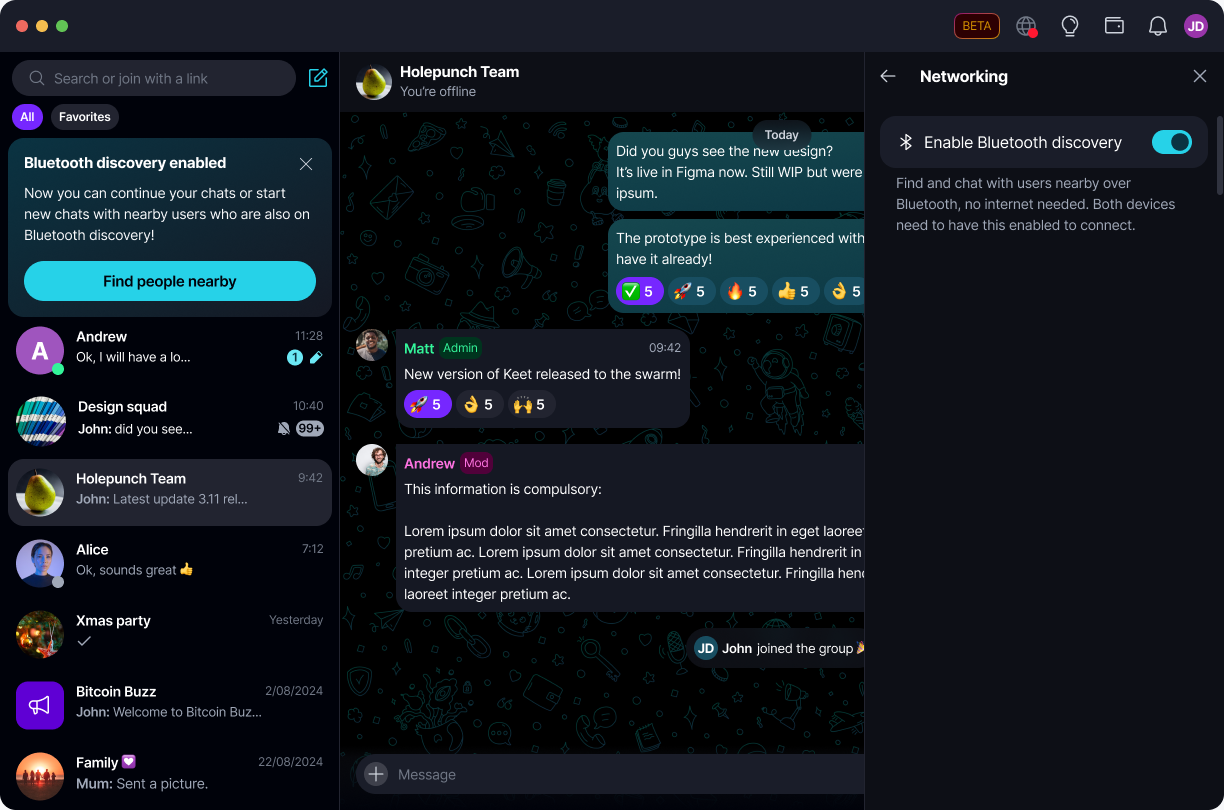
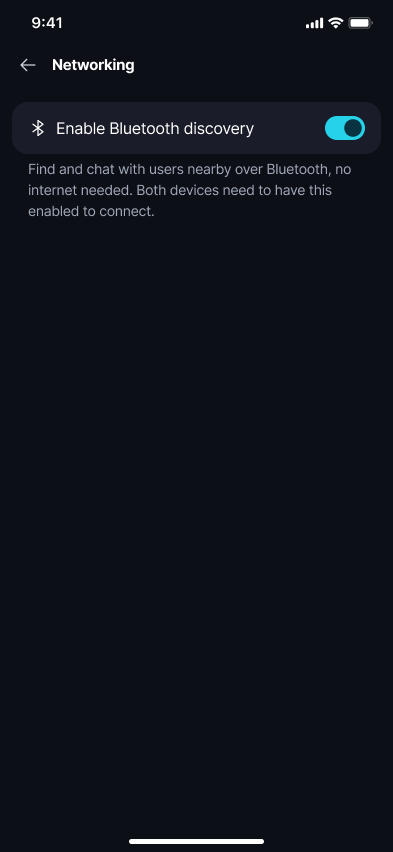
'Enable Bluetooth discovery' is now on:
-
Go to 'Settings' and select 'Networking':
-
Toggle on 'Enable Bluetooth discovery':
-
The first time you enable it, your device asks for permission to use Bluetooth. Allow it to continue:
-
'Enable Bluetooth discovery' is now on:
📡 Bluetooth discovery works alongside your normal internet connection - turning it on doesn't disable or replace regular networking. Both people need 'Enable Bluetooth discovery' turned on for their devices to find each other.
If you don't allow the Bluetooth permission, discovery won't be shown as active. You can grant it later from your device's app permission settings and try again.
How do I find and message someone nearby?
Once discovery is on, a 'Bluetooth discovery enabled' banner appears at the top of your chat list with a 'Find people nearby' button:
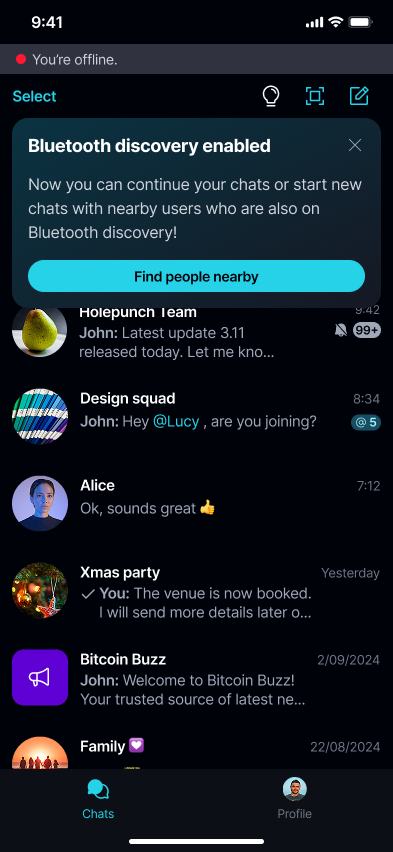
You can also get there anytime from 'Start chat' → 'People nearby', without waiting for that banner.
Either way, Keet shows who you're discoverable as, then searches for nearby people with a 'Looking for nearby users…' state - keep Keet open and make sure both devices stay unlocked with Bluetooth on. Each result shows their name and status (or 'Resolving…' while Keet is still identifying them), and results are capped to the 8 nearest people by signal strength:
- If you already have that person saved as a contact, you'll see a 'Message' button - it opens your existing DM if you have one, otherwise it starts a normal DM request.
- If they're not a saved contact yet, you'll see an 'Add' button instead, to add them as a contact first.
Once you're messaging, you can exchange text messages with no internet needed on either side.
There's no room or topic selection in this version - nearby discovery uses one shared, global context. If you'd rather not be found, select 'Disable Bluetooth discovery' from the bottom of the nearby-people screen, or turn the Networking toggle off.
Can I keep chatting over Bluetooth if I lose internet later?
Yes. If you go offline in an existing DM, Keet shows a prompt to continue that conversation over Bluetooth:
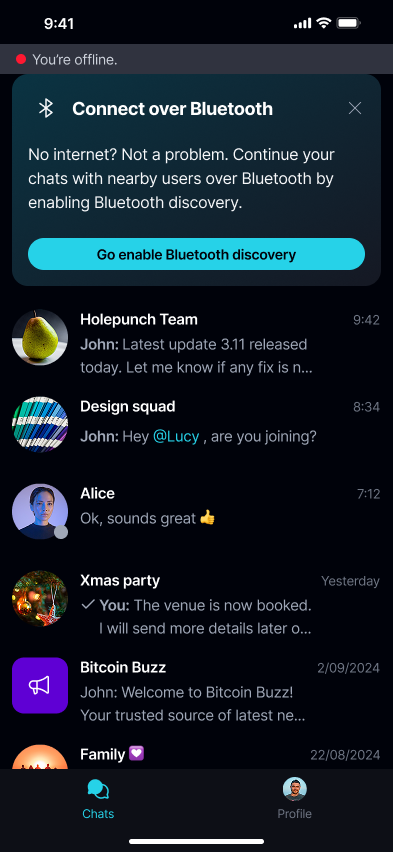
As long as Bluetooth discovery is already on, you don't need to repeat nearby discovery to keep messaging someone you're already chatting with - going offline or opening the nearby list again doesn't require turning discovery on a second time.
Group chats, calls, file transfers, and background nearby-user notifications over Bluetooth aren't supported yet.